

In this video, you will learn how to reset your password on DeepWalk's web application. This is only for DeepWalk accounts. If you used Google Sign-On, make sure to utilize it, or reset your password through Google.
Transcript:
00:00 Hi There! Today I will be showing you how to reset your password.
00:03 First, navigate to app.deepwalkresearch.com. Now, underneath the email and password fields, you will see a button that says reset your password. Enter the email associated with the account you want to reset the password for.
00:18 Once you press continue, it will prompt you to check that email. In your inbox, there will be an email from noreply@deepwalkresearch.com. Press confirm, and it’ll take you to your page to change your password. Please make the new password in accordance with the requirements below
00:38 Press reset password. Now, your password has been changed and you can confirm that by going back to DeepWalk’s main page and signing in to ensure everything is working.
00:58 If you are still having issues accessing your account, please contact support@deepwalkresearch.com.
Map the current sidewalk mileage in your city, town, neighborhood, or custom area. Our new mileage tool pulls accurate sidewalk information, allowing you to plan efficiently, budget effectively, and determine the amount of data collectors for your project. The data is sourced from OpenStreetMap, a free, collaborative mapping platform built and maintained by contributors worldwide.
Get A Free Mileage Estimate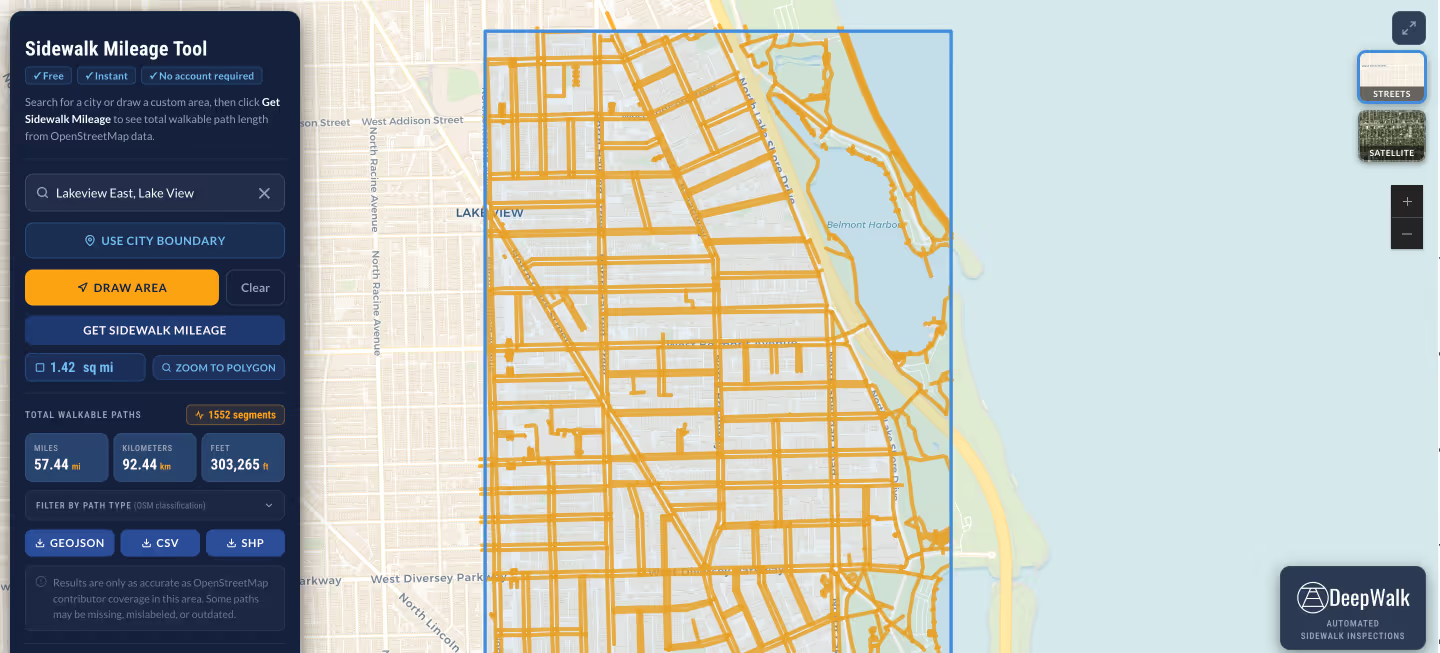
.avif)
DeepWalk is the sidewalk inspection solution trusted by 120+ municipalities and consultants nationwide.
© 2026 DeepWalk Research, Inc.
All rights reserved.