

DeepWalk's two-click ArcGIS integration quickly creates the ArcGIS deliverables, including a web map and pre-formatted feature services. The user logs in with their ArcGIS online password, clicks to create the map, and the deliverables are generated within 15 minutes.
0:00 Hi everybody, we're going to automatically create this ArcGIS WebMath and the corresponding feature services with two clicks. So, I'm going to delete this one and start us over from Scratch. If you go to the DeepWalk web application, data, ArcGIS will come here.
0:17 You're just going to authenticate with your ArcGIS online credentials. And then you're going to click ArcGIS map. And then it will start creating all the ArcGIS deliverables.
0:31 This should be done in less than 15 minutes, depending on the size of your project. But, you don't have to watch this spin for 15 minutes.
0:37 You can X out and it will just keep doing what it's doing. And then once this is done, it will be available here.
0:43 Like I showed at the beginning of the video. And make sure you're it's also available in your ArcGIS online. So, it'll look like this.
0:52 This is all the files. They're all pre-formatted. And if I open up the web map, it will look the exact same as the one that I showed at the beginning of video.
1:05 So, you can do a bunch of customizations. And other interesting things that I will show in the following videos. Enjoy!
Map the current sidewalk mileage in your city, town, neighborhood, or custom area. Our new mileage tool pulls accurate sidewalk information, allowing you to plan efficiently, budget effectively, and determine the amount of data collectors for your project. The data is sourced from OpenStreetMap, a free, collaborative mapping platform built and maintained by contributors worldwide.
Get A Free Mileage Estimate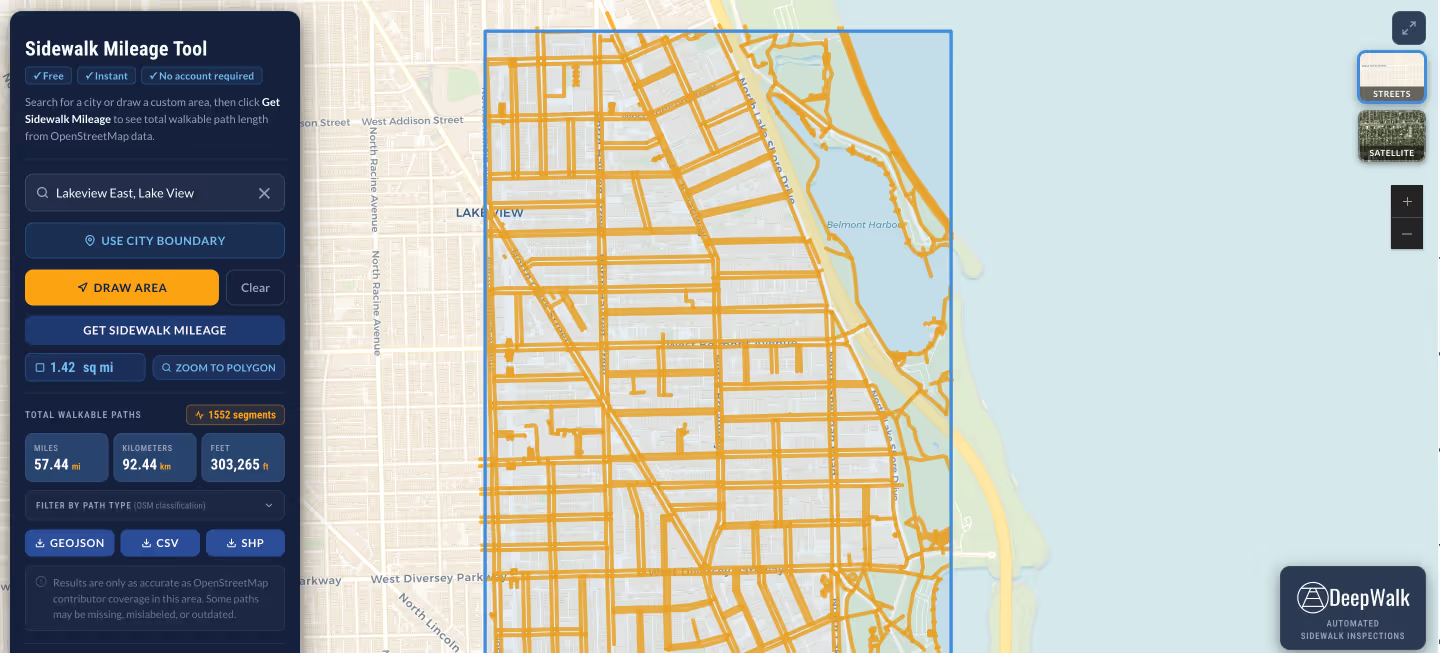
.avif)
DeepWalk is the sidewalk inspection solution trusted by 120+ municipalities and consultants nationwide.
© 2026 DeepWalk Research, Inc.
All rights reserved.