

This video provides a step-by-step guide for registering as a new user on the DeepWalk's web application. The process involves navigating to the welcome page, signing in, and either using Google Single Sign-On or manually entering an email and password. Users must then authorize access, create or join an organization, and set up a project, including data collection details and preferences for accessing data and phone rentals. The final step allows users to review and manage their project and team members. These steps are important for a seamless user experience and effective collaboration.
0:00
Hello All. Today I will be showing you how to register as a new user on DeepWalk’s web application. First, you are going to navigate to app.deepwalkresearch.com, and it will take you to our welcome page. Then you will press sign in. Now you want to navigate to the sign-up page, located underneath the “Continue” button. On this page, you are able to use Google's Single Sign-On feature if you have an existing Gmail account, or you can enter your email directly to our web platform. When creating your password, the requirements will populate below.
0:39
Next, we will ask you to authorize DeepWalk’s access to your new account, and you are officially a user, but you must be added to or create your own organization. To create an organization, press the button and enter your organization's name. At this stage, you can add other users from your team, but there will always be an opportunity to do that later as well. Now that you've created an organization, you must add a project. Press “Create Project”, and enter the name, then fill in the data collection information for our account management team. This gives us an idea of when you want to start data collection, your ideal delivery date, how many miles we can expect for this project, as well as your specific use case, so we can give you the best experience.
1:39
We also ask you how you would prefer to access DeepWalk’s data, including our web application and integrations like ArcGIS. We also ask if you need phone rentals for your project. If so, enter how many phones your team needs, the plan duration that you will need the phones for, as well as the best shipping address so we can get them to you.
2:11
Now you have reached the review step, where you are able to make any edits to your project that you may need. Now that you have configured your project, you are able to go back and manage members, if there’s important stakeholders or team members you need to add throughout the process. You are now officially a user of DeepWalk’s web application, and we're excited to be working with you.
Map the current sidewalk mileage in your city, town, neighborhood, or custom area. Our new mileage tool pulls accurate sidewalk information, allowing you to plan efficiently, budget effectively, and determine the amount of data collectors for your project. The data is sourced from OpenStreetMap, a free, collaborative mapping platform built and maintained by contributors worldwide.
Get A Free Mileage Estimate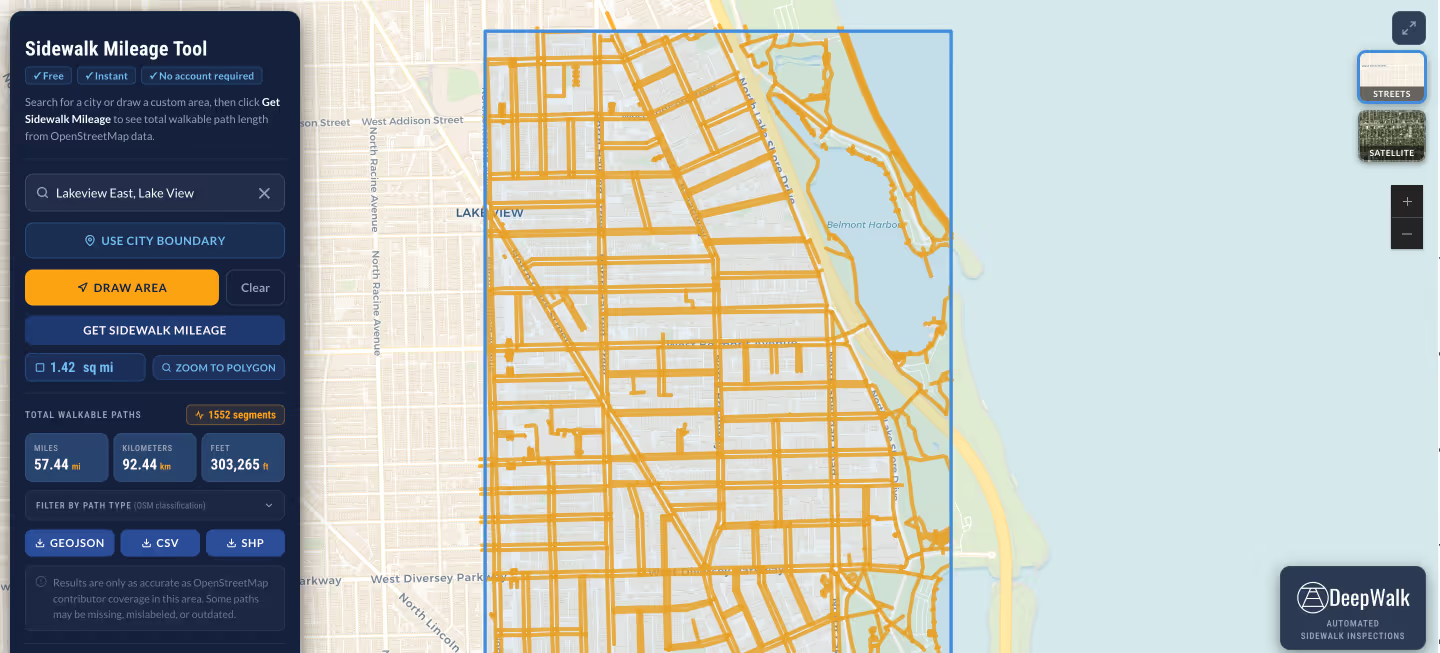
.avif)
DeepWalk is the sidewalk inspection solution trusted by 120+ municipalities and consultants nationwide.
© 2026 DeepWalk Research, Inc.
All rights reserved.